
At Shreeji Softinfo Consultancy LLP, we are dedicated to empowering businesses with cutting-edge technology solutions. In this blog, we will explore the transformative power of Microsoft Copilot in Dynamics 365 Business Central, and how it can revolutionize your workplace productivity.
What is Microsoft Copilot?
Microsoft Copilot is an advanced AI tool that helps users navigate Dynamics 365 Business Central effortlessly. Using machine learning and natural language processing, Copilot acts as a virtual assistant, offering smart suggestions and guidance as users engage with the platform.
Benefits of Microsoft Copilot
- Rapid Access to Information: With Copilot, you can quickly access information through natural language queries, saving you time and effort.
- Time-Saving Automation: Copilot automates routine tasks, freeing up your time to focus on more strategic and creative work.
- Inspiration through Innovative Content Suggestions: Copilot provides innovative content suggestions, helping you overcome writer’s block and boost sales.
- Proactive Problem-Solving: Copilot helps you tackle business hurdles proactively, ensuring you stay ahead of the competition.
How to Activate Copilot AI
To activate Copilot AI, follow these simple steps:
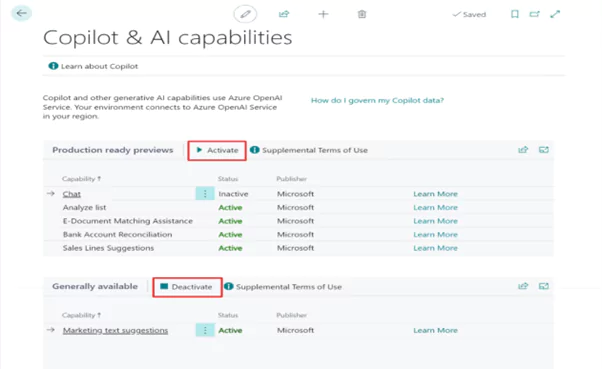
- In Business Central, search for and open the Copilot & AI Capabilities page.
- The page lists all available Copilot and AI-related features and their current status, which can be either active or inactive.
- You can turn on a feature by selecting it in the list, then selecting the Activate action and for turning off you can select it, and then selecting the Deactivate action.
Various Copilot Types and Uses
Microsoft Copilot offers a wide range of uses across different business areas and departments, including:
- Finance: Utilize Copilot for cash flow analysis, bank reconciliation, and financial reporting.
- Sales: Streamline sales order processing and inventory forecasting with Copilot.
- Marketing: Leverage Copilot for marketing text suggestions and product descriptions.
- Customer Service: Enhance customer satisfaction with Copilot’s proactive problem-solving capabilities.
- Security: Ensure data security and compliance with Copilot’s advanced AI capabilities.
Chat with Copilot in Business Central
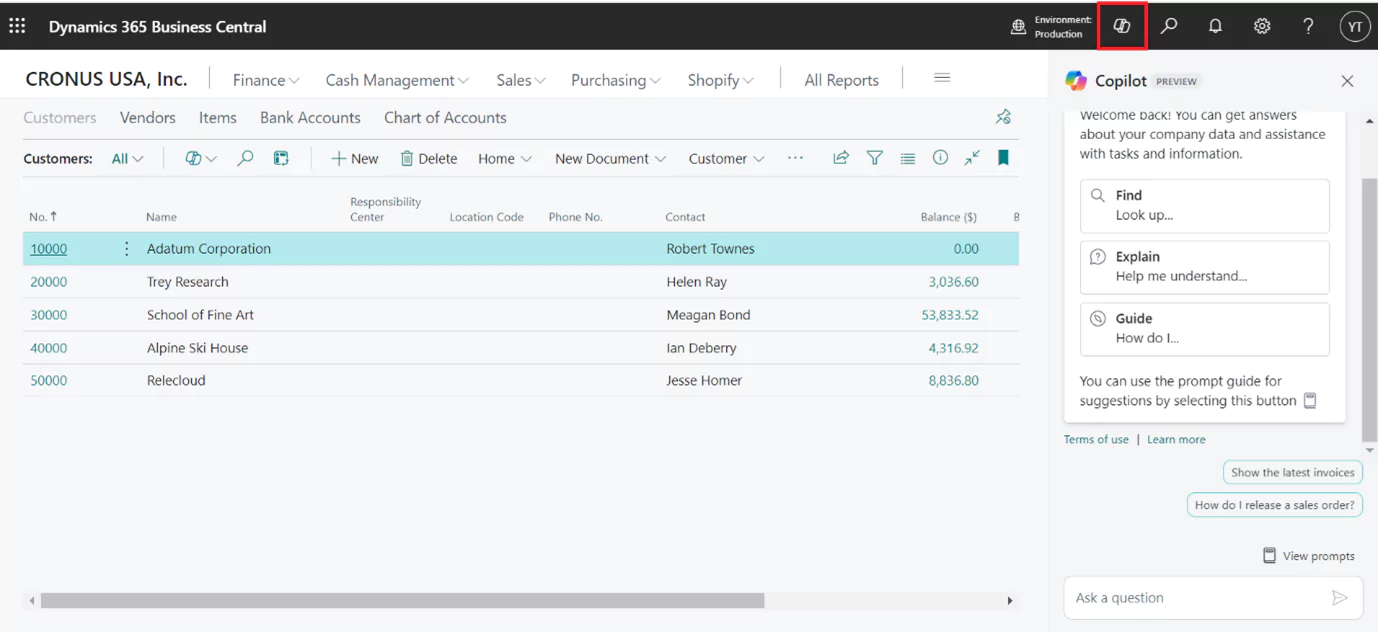
In the Copilot pane, you can utilize its functionality to ask questions, search for records, receive explanations on concepts, and be guided through tasks efficiently and professionally.
Copilot for Cash Flow Analysis
Utilizing AI capabilities, Business Central offers a strong cash flow analysis to track your company’s financial liquidity. This analysis is crucial for assessing solvency and planning for the future, enabling proactive adjustments to meet financial obligations.
Copilot for Bank Reconciliation
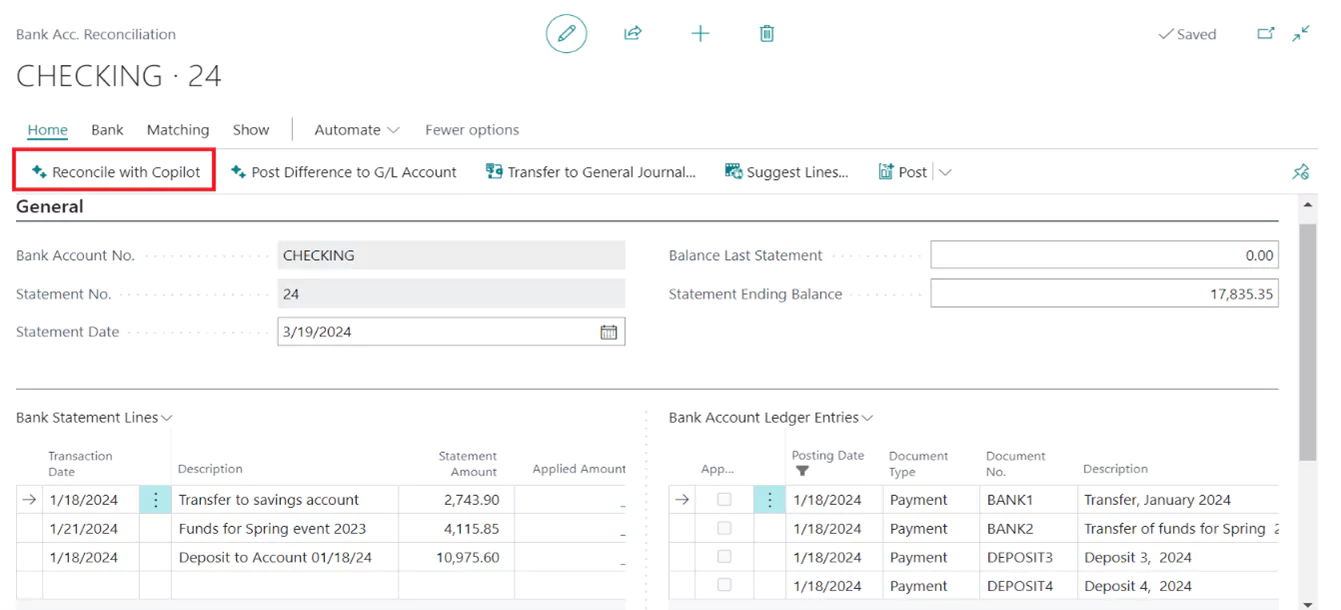
Streamlining bank reconciliation, especially in complex scenarios, has historically been a monthly challenge, consuming valuable time. With Copilot in Business Central, this task becomes more manageable. Copilot analyzes imported bank statements, matches transactions, and suggests entries for unmatched transactions.
Copilot for Processing Sales Orders
To streamline the creation or update of customer orders, Copilot simplifies the process by allowing you to describe the items required, paste details from emails, or refer to previous orders. It then suggests line items from your catalog, saving time and enabling sales teams to prioritize building relationships and providing outstanding customer experiences.
Copilot for Supply Needs Planning
With Copilot’s advanced AI capabilities, businesses can strategically plan their supply requirements. By analyzing historical data and market trends, Copilot accurately forecasts demand and anticipates potential inventory shortages.
Copilot for Inventory Forecasting
In a competitive business era, efficient inventory management is essential for success and customer satisfaction. It requires balancing service levels with cost control. AI-powered tools, like the sales and inventory forecast extension, leverage past sales data to predict future demand, reducing the risk of stockouts.
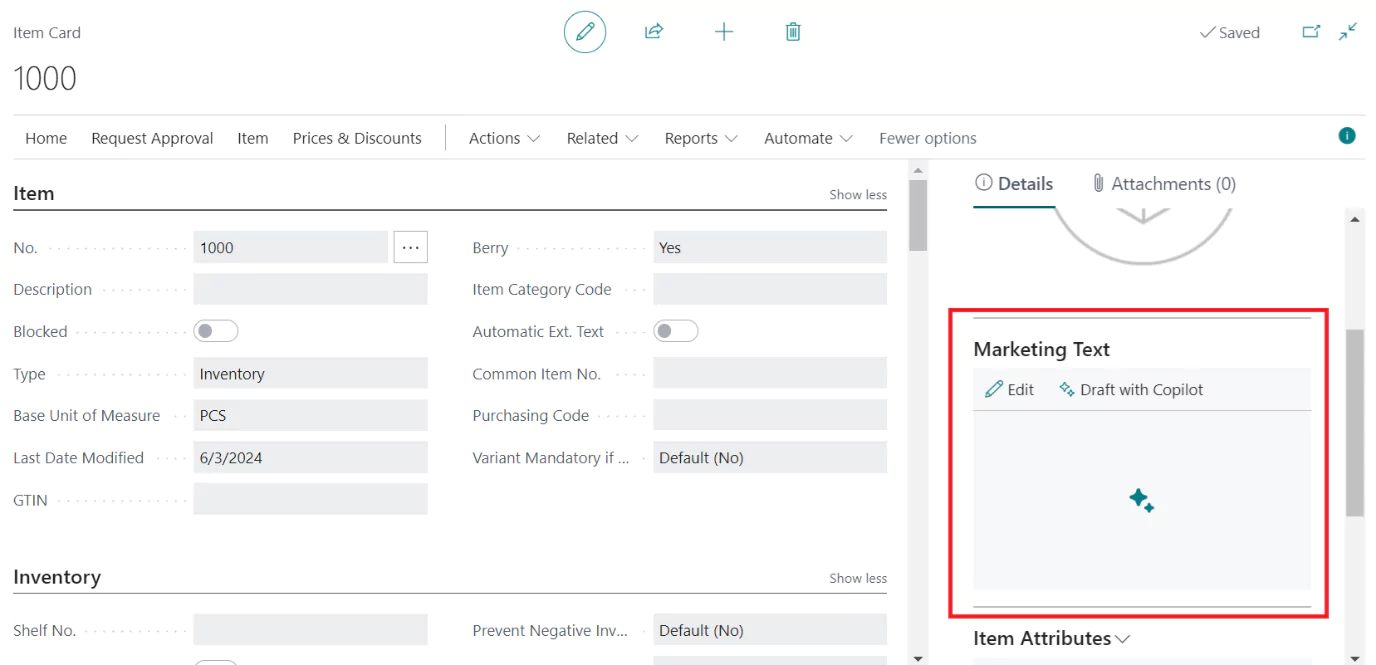
Copilot for Marketing Text Suggestions
In Business Central, Copilot aids product managers in overcoming writer’s block and boosting sales through engaging AI-generated marketing text suggestions. Leveraging existing attributes like color and material, Copilot crafts product descriptions tailored to your desired tone, format, and length.
Conclusion
Across various domains within Dynamics 365 Business Central, from financial management to inventory control and content creation, Microsoft Copilot stands as your reliable AI companion. By integrating Copilot into your workflow, you unlock a new level of efficiency, agility, and excellence. It empowers you to make smarter decisions, complete tasks more rapidly, and deliver superior results in every aspect of your business operations. This modified content is more attractive and informative for your website, highlighting the key benefits and uses of Microsoft Copilot in Dynamics 365 Business Central.