Significance
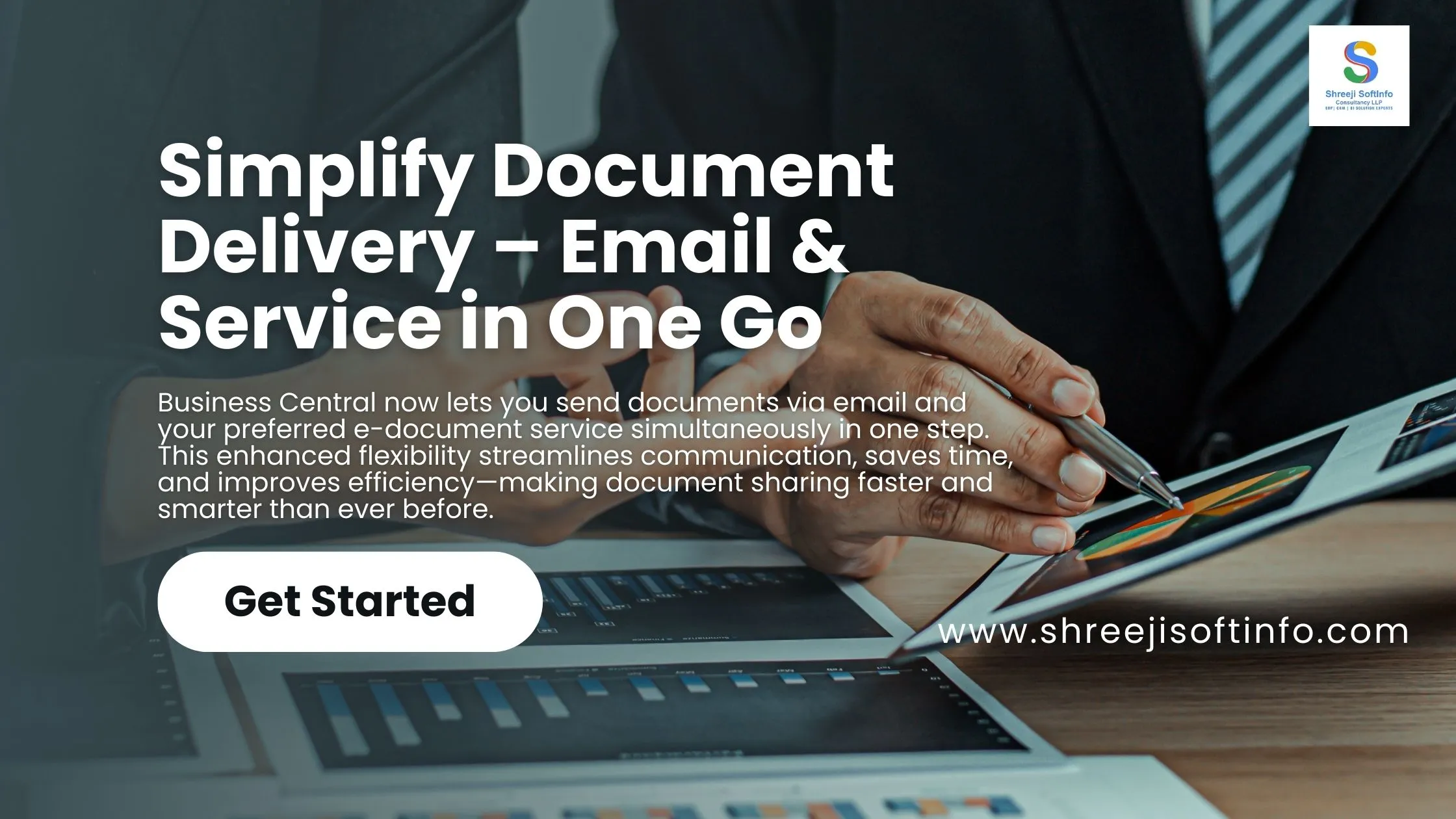
Business Central offers flexible ways to share documents and information quickly and easily. Document sending profiles let you choose how to send documents when posting, whether by email or as an electronic document through your preferred service. Now, we’re enhancing this flexibility further by enabling simultaneous email and electronic document transmission in a single step.
1. Open E-Documents or you may create another one as per the requirement.
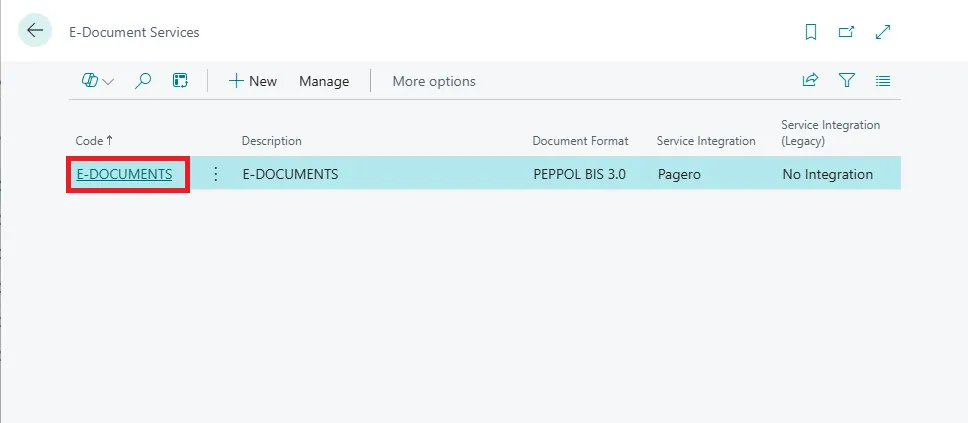
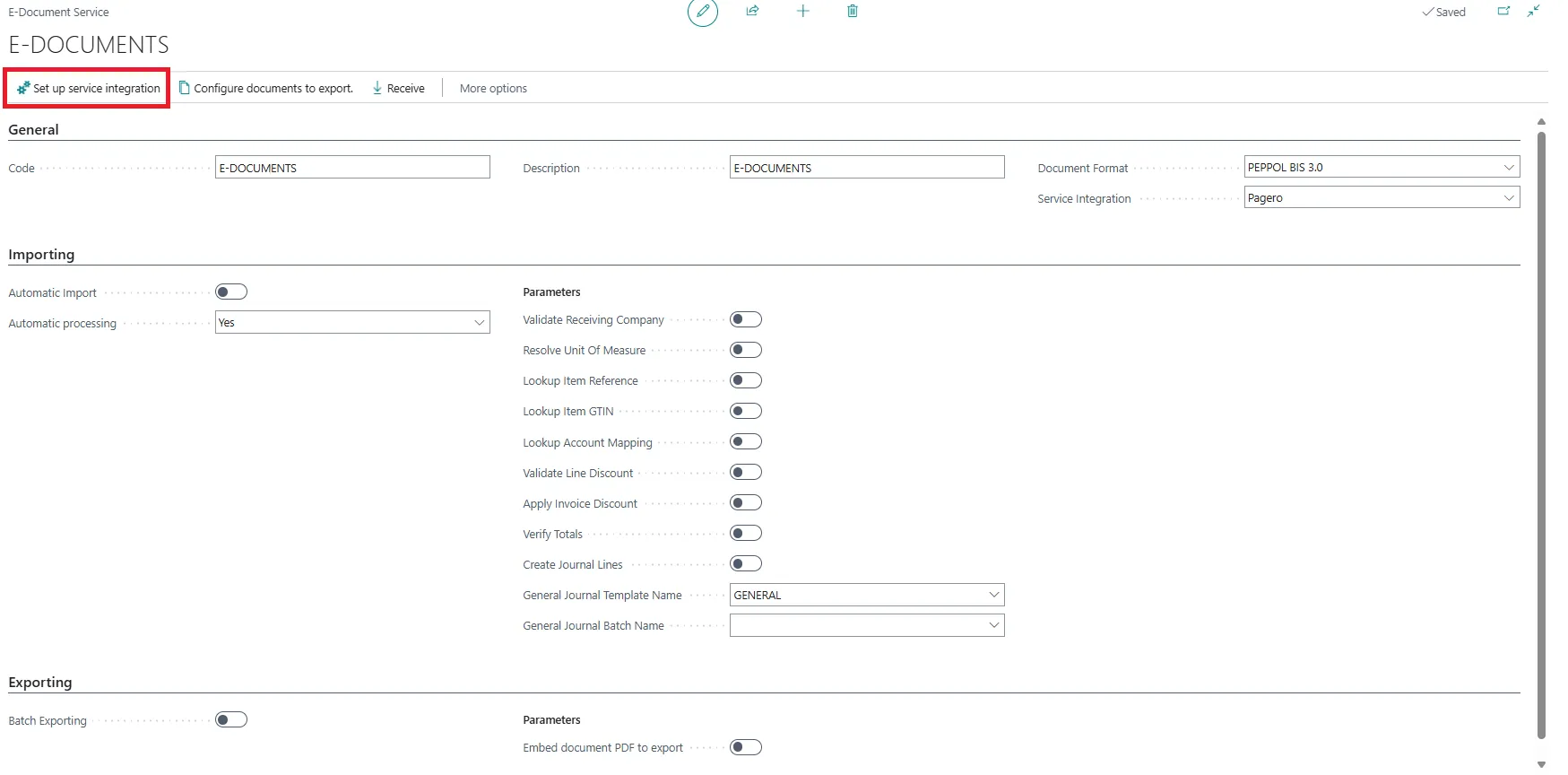
2. Set all the fields as mentioned in image and you may change as per the requirement. Open “Setup service” integration.
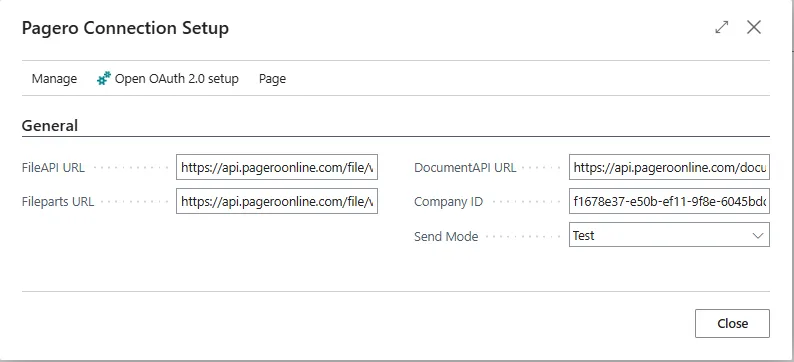
3. Kindly fill all API links you want.
4. Select E-Documents. If not created then create new.
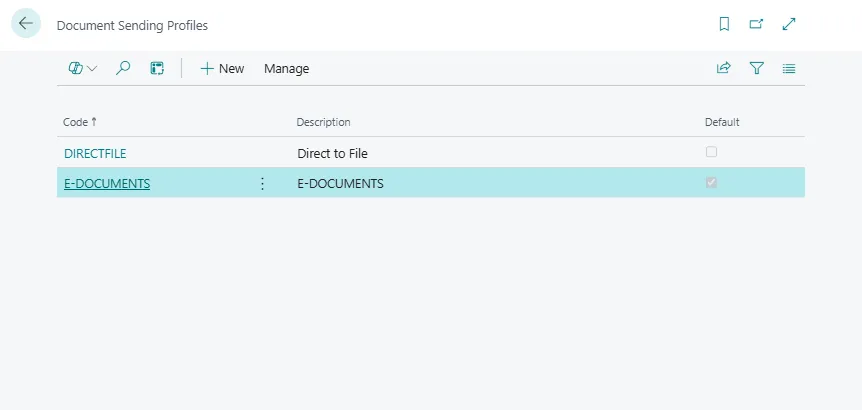
5. Make changes as shown in below image. You need to make it default.

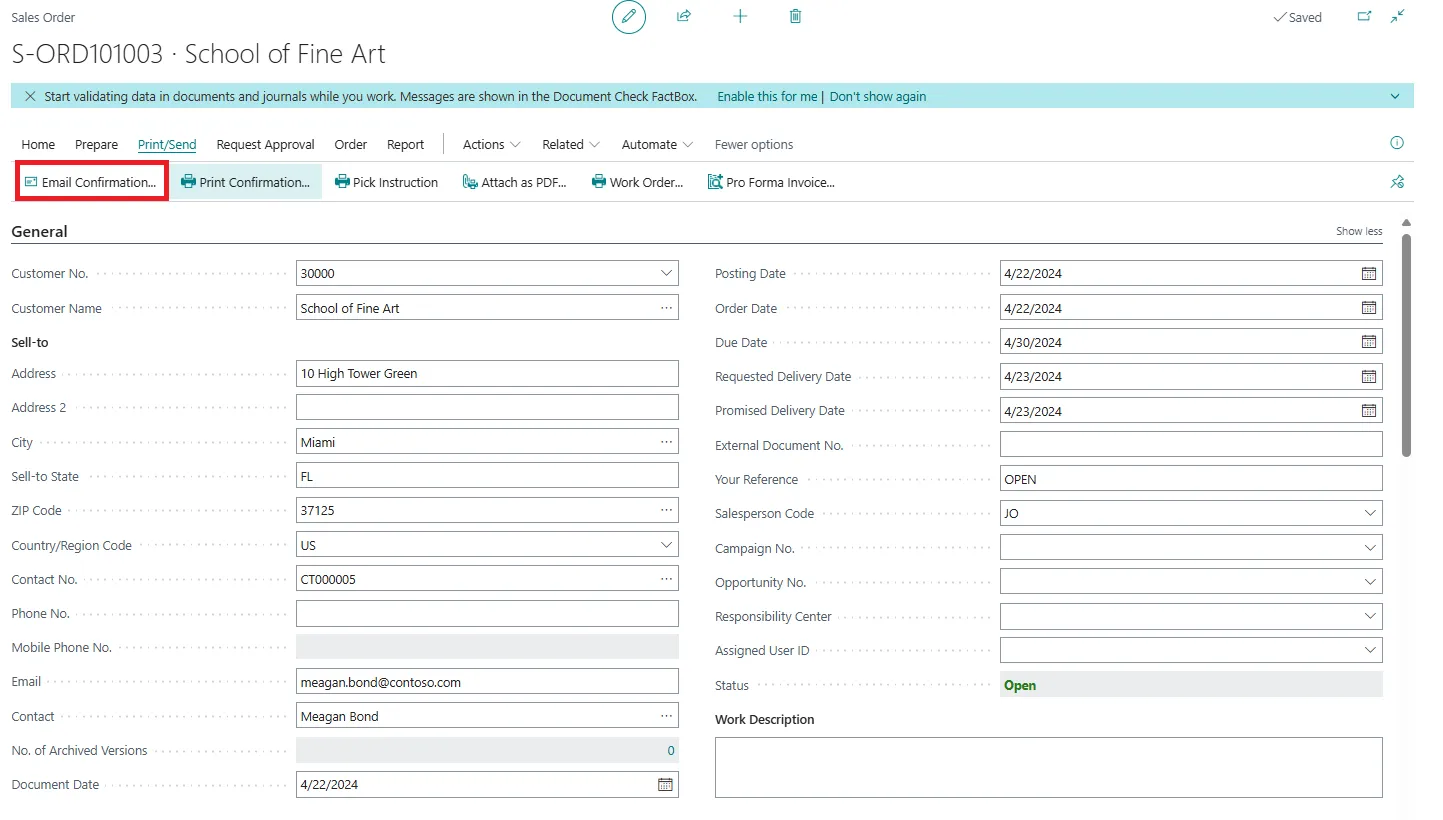
6. Now on sales orders, click on email confirmation.
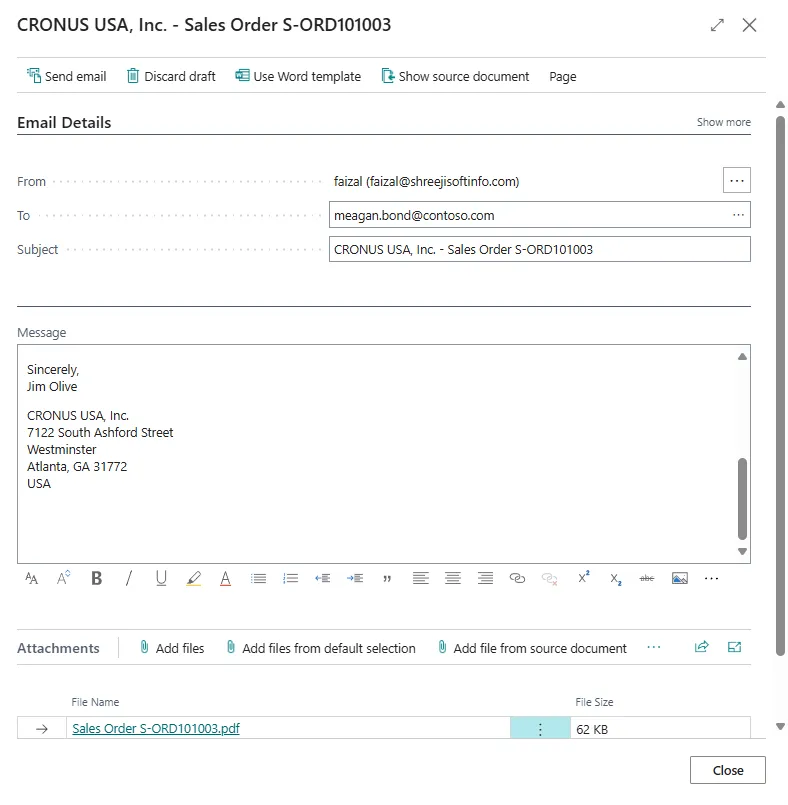
7. Insert details of From and To.
Functionality overview:
Managing e-documents in sales just got more flexible. Previously, you had the choice of sending e-documents through a connector service or manually downloading and emailing them. Now, Business Central introduces additional options to streamline the process.
- When you select Post from the Sales Order, Sales Invoice, or Sales Credit Memo pages, the document is posted as usual. However, if an e-document workflow is configured for the customer, this action can also generate an e-document. Selecting Post and Send does the same but additionally sends the e-document via email as an attachment.
- Depending on your e-document workflow settings, there are four available models for sending documents:
-
- Post with Service Integration enabled: The e-document is sent to the configured access point.
- Post and Send with Service Integration enabled: The e-document is sent to the access point and as an email attachment.
- Post without Service Integration enabled: The e-document is created and ready for download.
- Post and Send without Service Integration enabled: The e-document is sent by email.
- This expanded functionality provides greater control over how e-documents are handled in the sales process, helping businesses improve efficiency and document management.
Conclusion:
Business Central enhances document-sharing efficiency with greater flexibility in handling e-documents. With the ability to send documents via email and as electronic files simultaneously, businesses can streamline workflows and improve communication. Whether using service integration or manual processing, users now have more control over how sales documents are managed, ensuring seamless and efficient operations.