
The Check Total Purchase Amounts on Documents feature in Microsoft Dynamics 365 Business Central helps ensure that all line items on purchase invoices and credit memos match the external invoice, reducing human errors in accounts payable processes.
How It Works:
- When activated, Business Central checks whether the total amount including VAT and the VAT amount stated on the purchase document match the sum of the purchase lines.
- If the amounts do not match, the system will notify you before posting the document.
How to Enable This Feature:
Go to Purchases & Payables Setup:
You can activate this feature in the setup selecting Check Doc. Total Amounts in Purchases & Payables Setup.
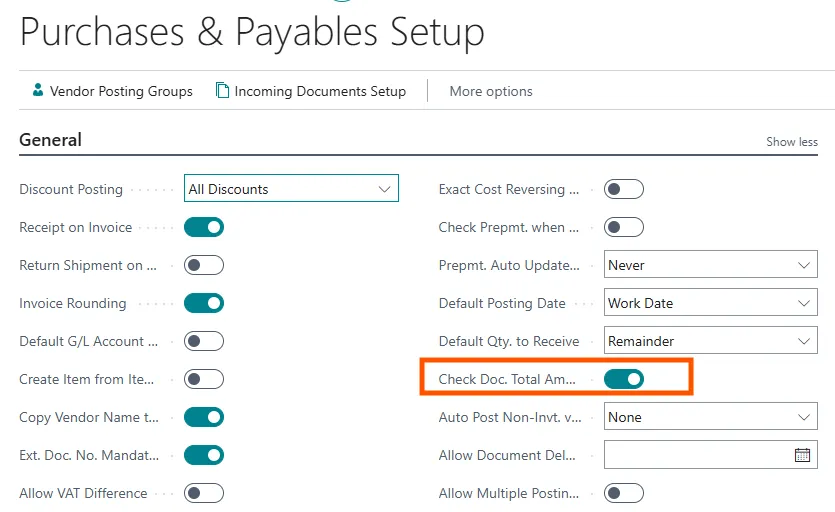
If you activate this feature, the Doc. Amount Incl. VAT and Doc. Amount VAT fields are available on the Purchase Invoice and Purchase Credit Memo pages.
Check Doc. Total Amounts:
Specifies if you want the Doc. Amount Incl. VAT field in purchase documents to be compared to the sum of the VAT amounts fields in the purchase lines. If the amounts are not the same, you will be notified when posting the document.
Purchase invoice page and purchase credit memo page:
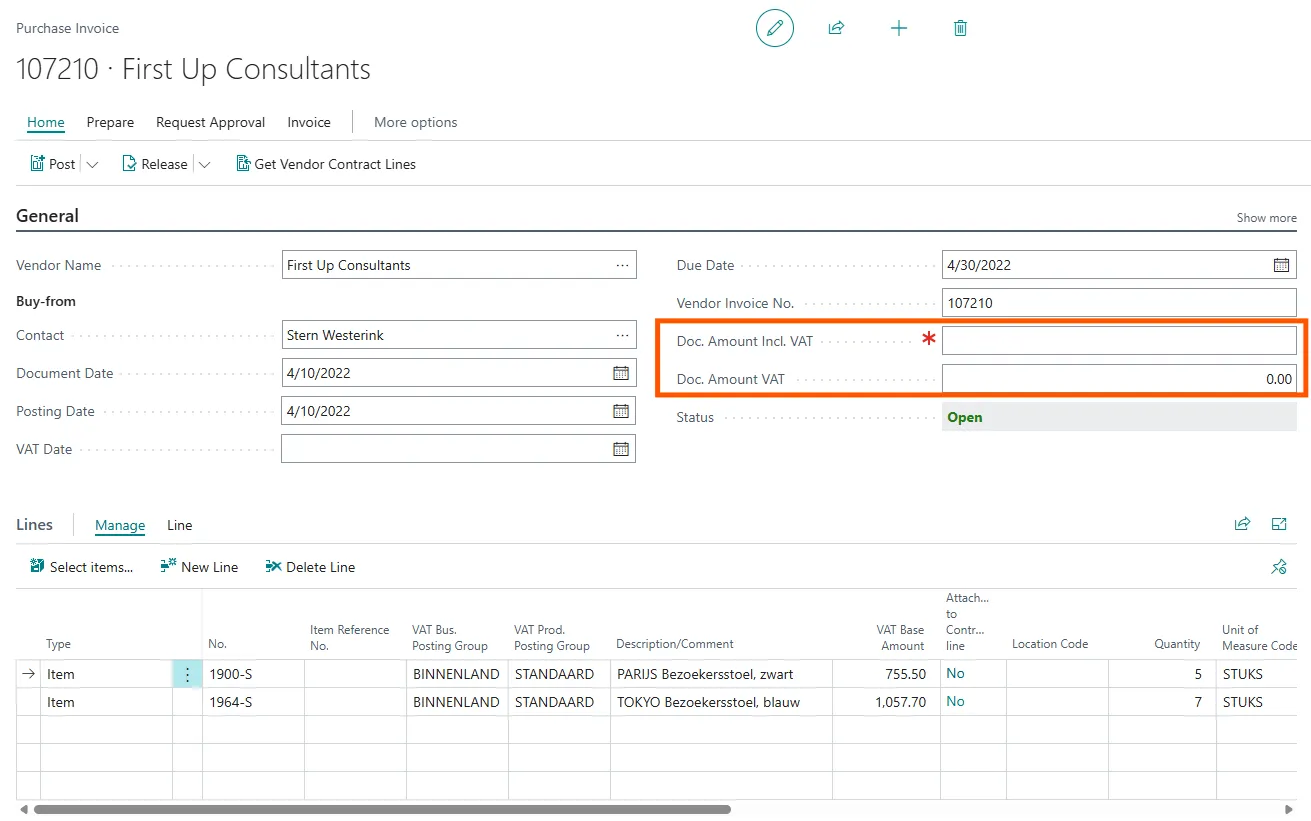
Doc. Amount Incl. VAT: Specifies the total amount (including VAT) of the purchase invoice or credit memo.
Doc. Amount VAT: Specifies the VAT amount of the purchase invoice or credit memo.
You must fill in the fields before you can post the documents. Business Central checks whether the amount including VAT and the VAT amount stated on the purchase document are equal to the total amount of the purchase lines when you try to post the document.

So only if the amounts are consistent can they be posted.
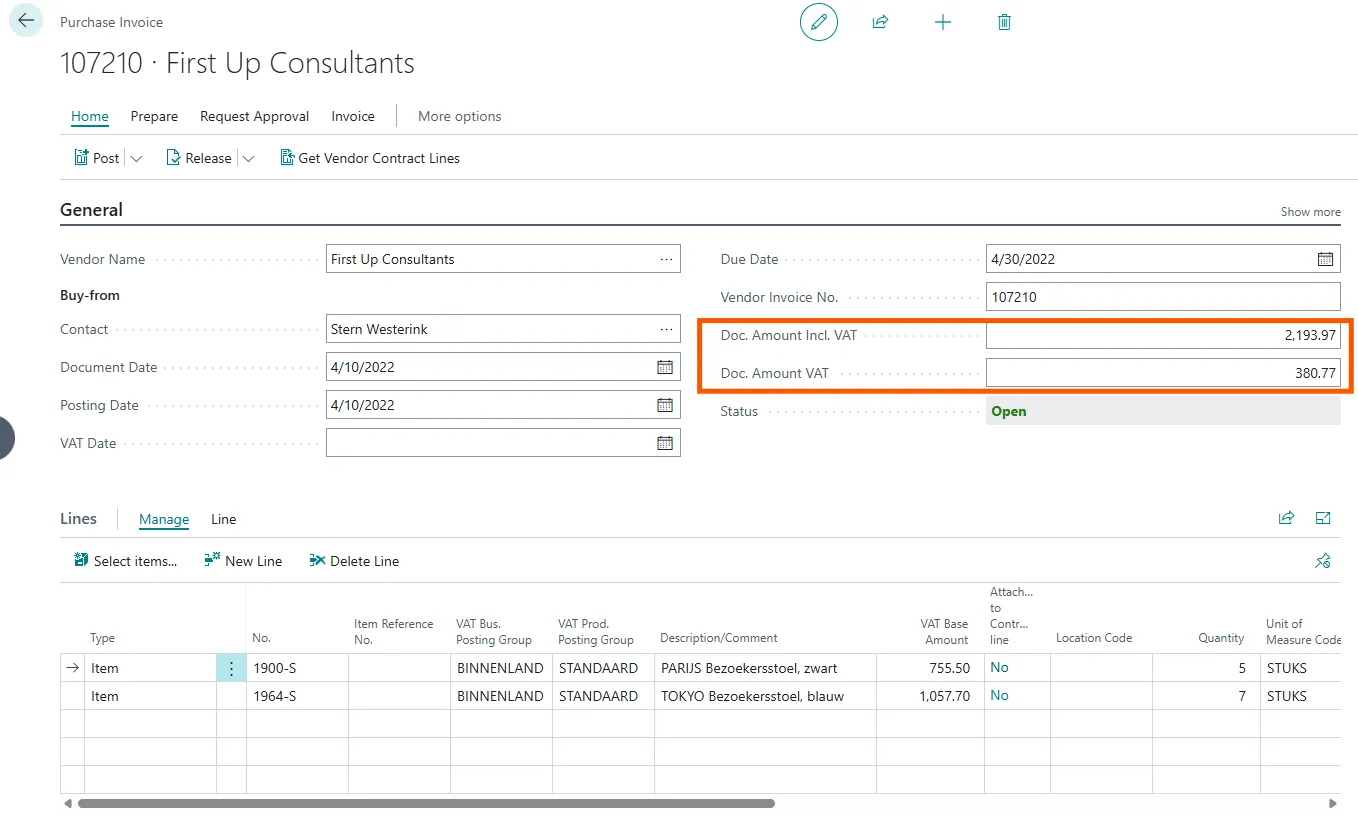
When you enter Doc. Amount Incl. VAT, Doc. Amount VAT is automatically calculated.
You can see the below picture; it provides a detail idea about this field.
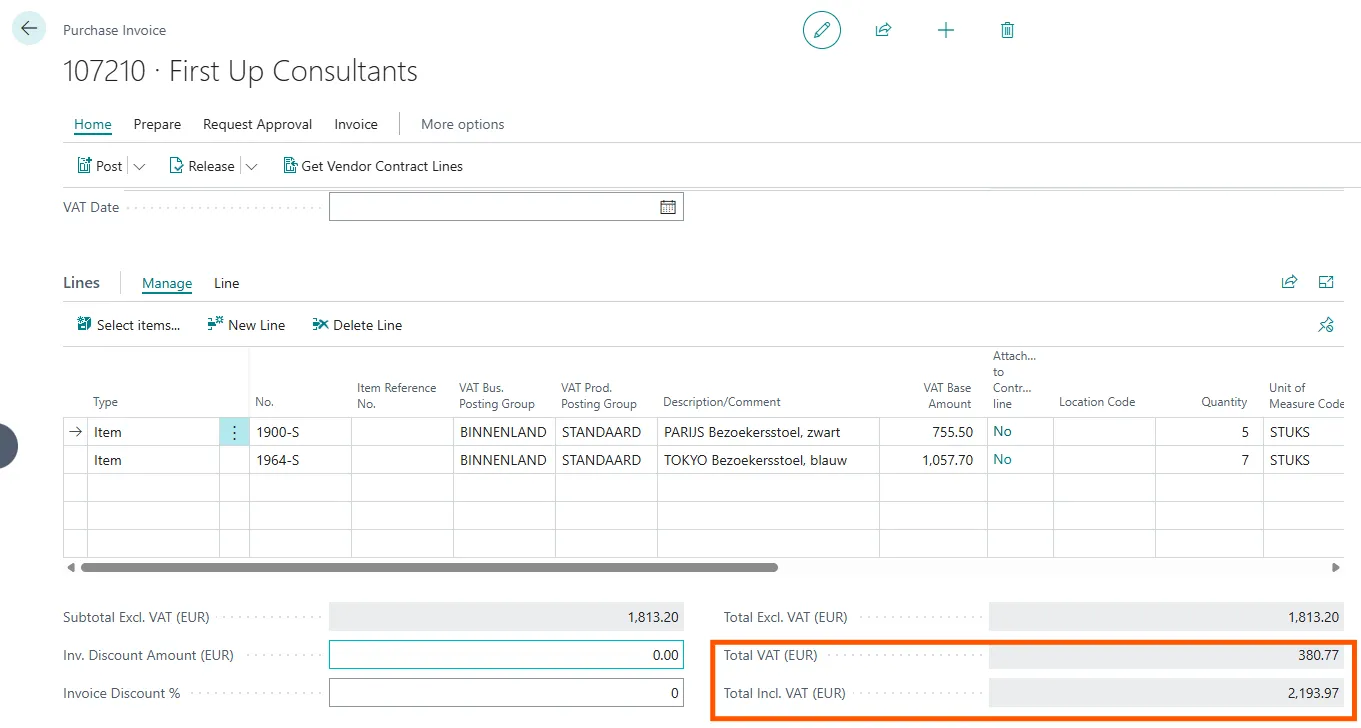
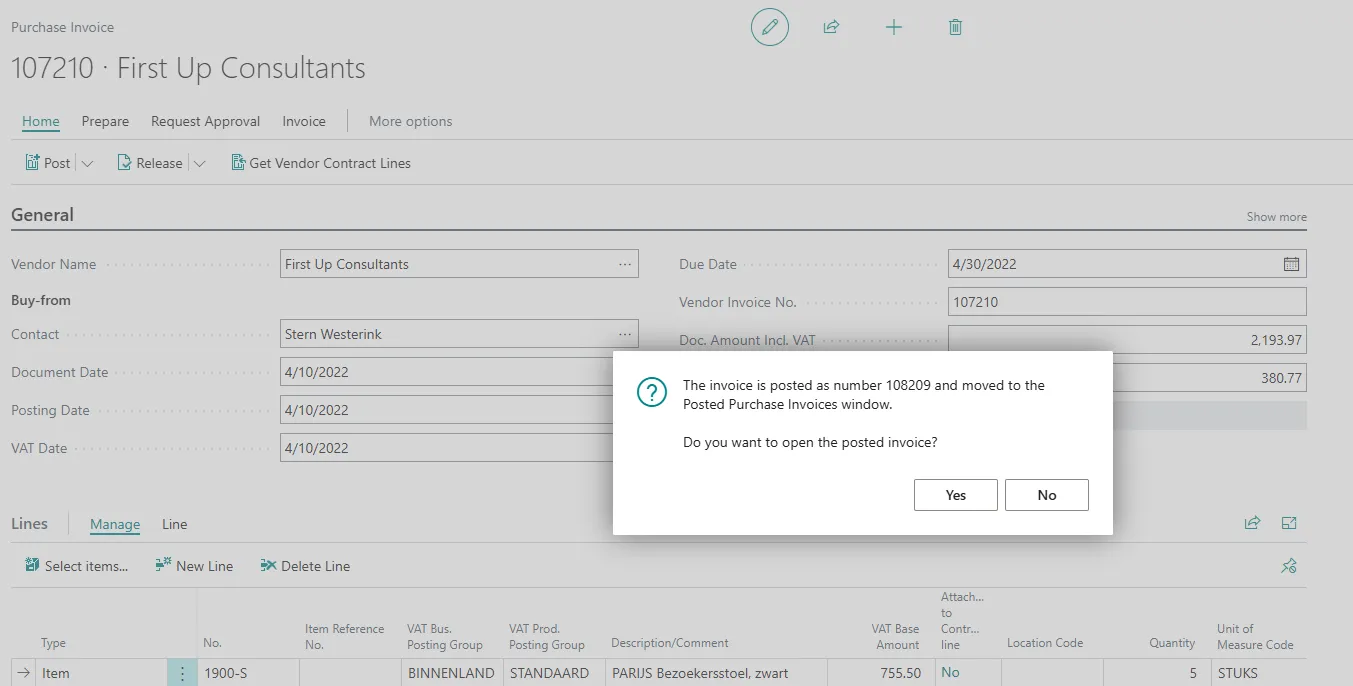
Business Central checks whether the amount including VAT and the VAT amount stated on the purchase document are equal to the total amount of the purchase lines when you try to post the document. If all amount is match, then only you can post the Invoice/Credit memo
Benefits of This Feature
- Reduces errors in accounts payable processes.
- Ensures accurate financial records by validating purchase amounts before posting.
- Improves compliance with VAT regulations.