
Cash Flow Forecasting is a crucial financial planning tool used by businesses to predict and estimate the flow of cash inflow (like sales revenue, loans, or investments) and cash outflow (like sales revenue, loans, or investments) of the company over a specific period.
What does Cash Flow Forecasting do ?
- It helps businesses anticipate their liquidity position and ensure they have enough cash to meet obligations.
- Make inform decision about investments, expenses, and financing.
- Help to avoid insolvency by ensuring sufficient cash is available when needed.
- It estimates how much cash a business will have at a future date, helping to avoid shortfalls or excesses.
Why Cash Flow Forecasting is important ?
- Businesses need cash to operate daily. Forecasting ensures that there is enough cash to pay bills, salaries, and suppliers. Businesses can optimize the timing of payments and collections to maintain a healthy cash flow.
- A business might be profitable but still run out of cash. Forecasting helps prevent this by identifying cash shortages early.
- During uncertain times, forecasting helps identify potential risks and prepare contingency plans.
- With a clear view of future cash availability, businesses can plan expansions, investments, or new product launches.
Cash Flow Forecasting with Business Central
Cash flow forecasting is an in-build financial management feature in Business Central that helps businesses predict and monitor their future cash position. It provides a structured way to estimate cash inflows and outflows based on actual data from various modules like sales, purchases, receivables, payables, and even manual entries.
Before you can begin cash flow forecasting in Business Central, you must first configure the Chart of Cash Flow Accounts. This setup defines the structure and categories of cash flow data that will be used in the forecast. It acts as a framework for organizing and analysing expected cash movements.
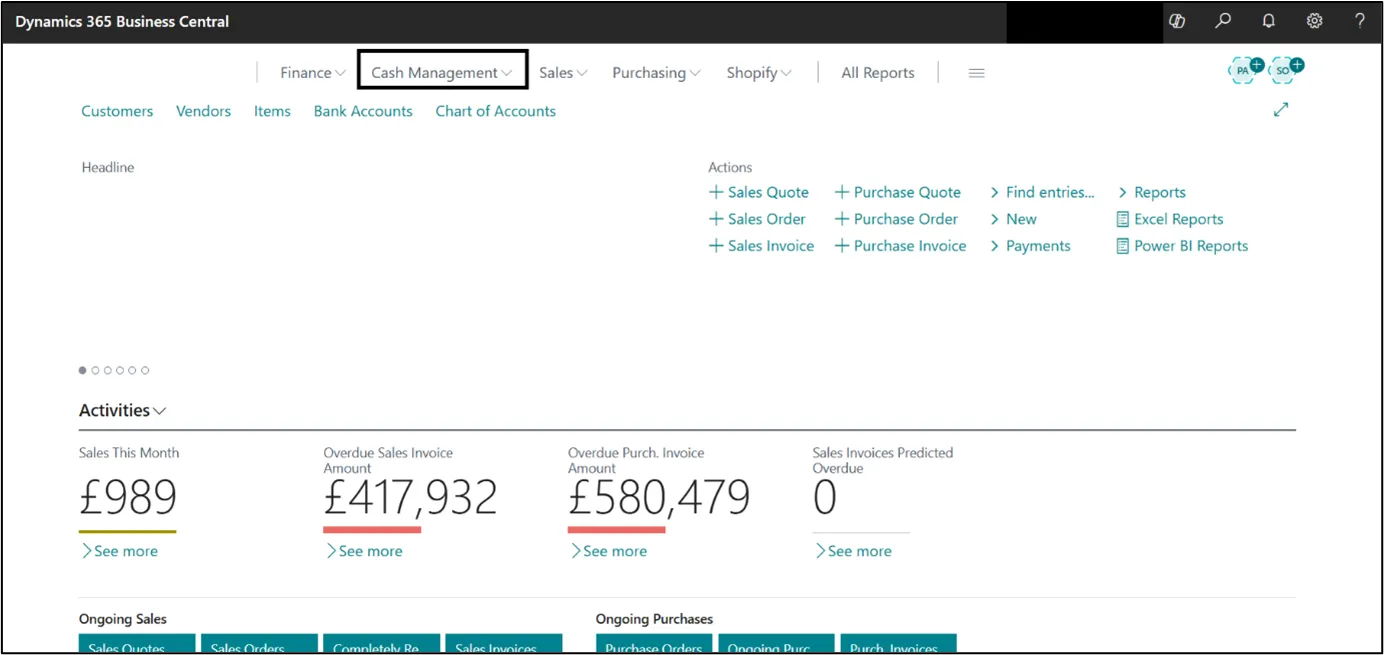
You can configure the Chart of Cash Flow Accounts using two distinct methods,
1. Manual configuration
Click on the cash management and select the Chart of Cash Flow Account form dropdown list.

Once you click on Chart of Cash Flow Account, following page will open.

Click on +New to create the category/account that will be used for the Cash Flow Forecasting.
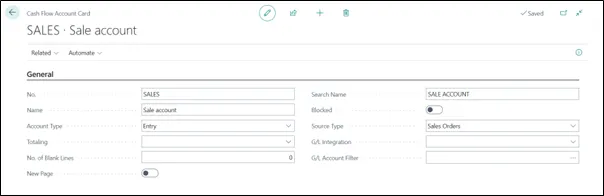
Enter the detail in field.
For the source type you can option shown in the picture.
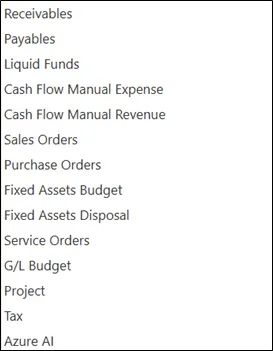
Source Type is a key configuration element that determines where the system pulls data from to populate your cash flow forecast.
Once the details are filled, go back. Your account is created.

Same way you can create the other account like – purchase order, receivable, payable etc.
2. Assisted setup
Go to Assisted Setup through Tell Me.
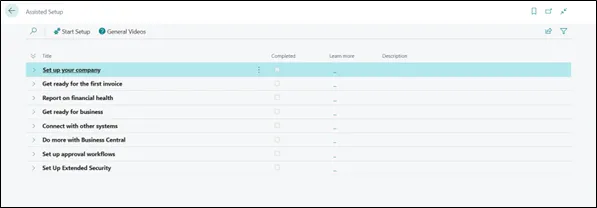
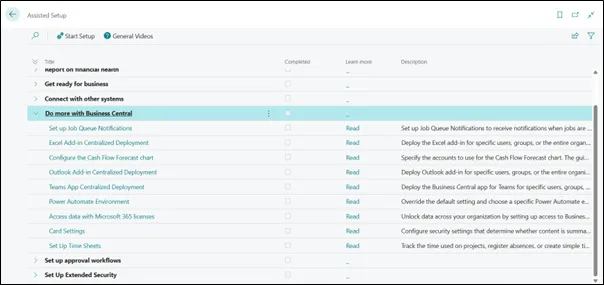
Go to – Do More with Business Central, and select – Configure the Cash Flow Forecast Chart.
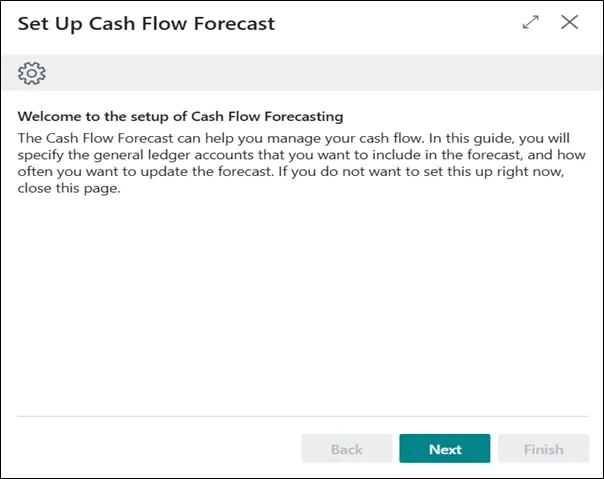
Select Next. Following page will open.
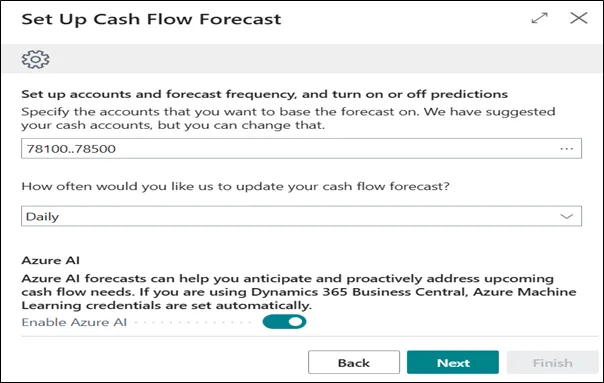
Select your cash account and how often you want to update the forecast. It can be Never, Daily, Weekly etc.
After that click on Next.
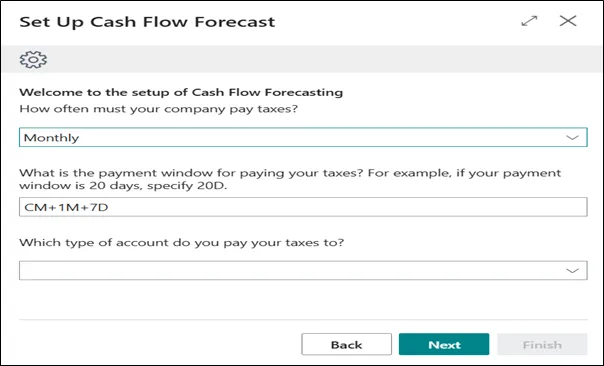
Select how often your company pay tex. It can be Monthly, Quarterly, Accounting Period or Yearly.
Click on Next.
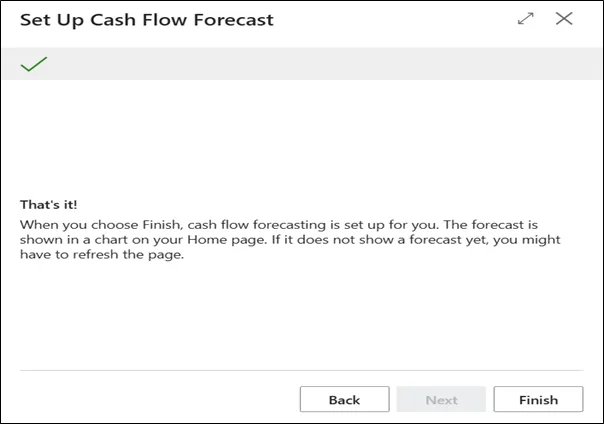
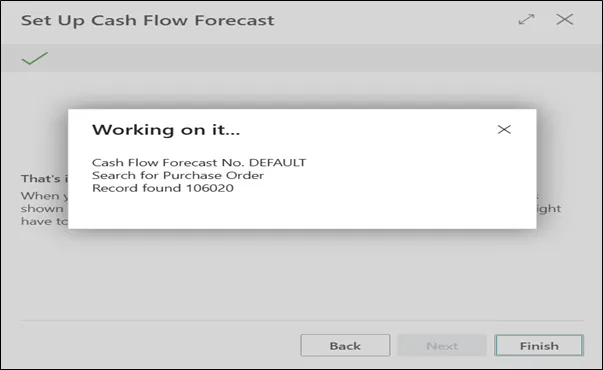
Click on Finish to finish your setup.
Your Chart of Cash Flow Accounts are prepared.
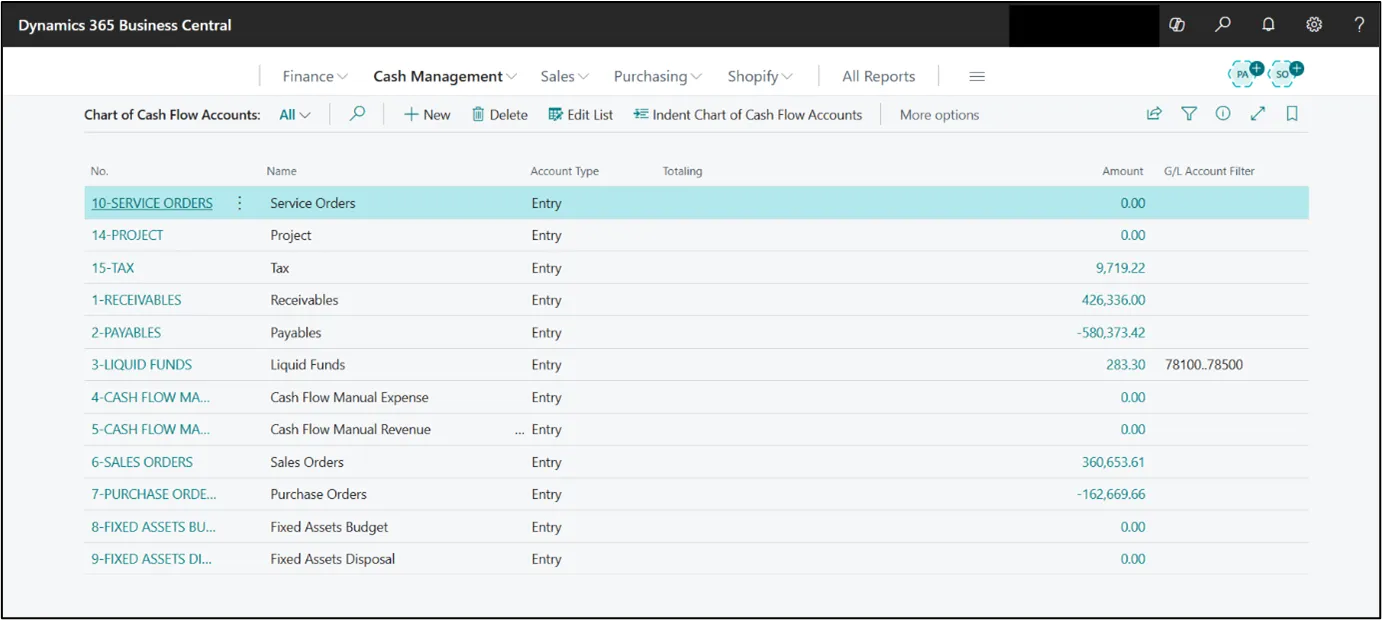
Now, go to Cash Management > Cash Flow Forecasting.


Click on +New to create the Cash Flow Forecast.
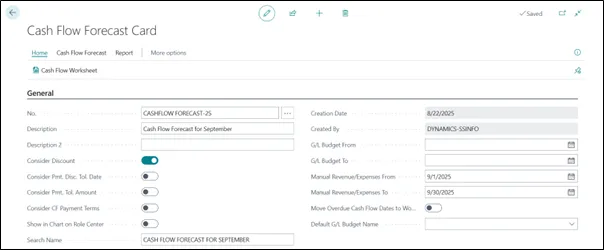
Fill details in fields.
After then, go to Home > Cash Flow Worksheet.
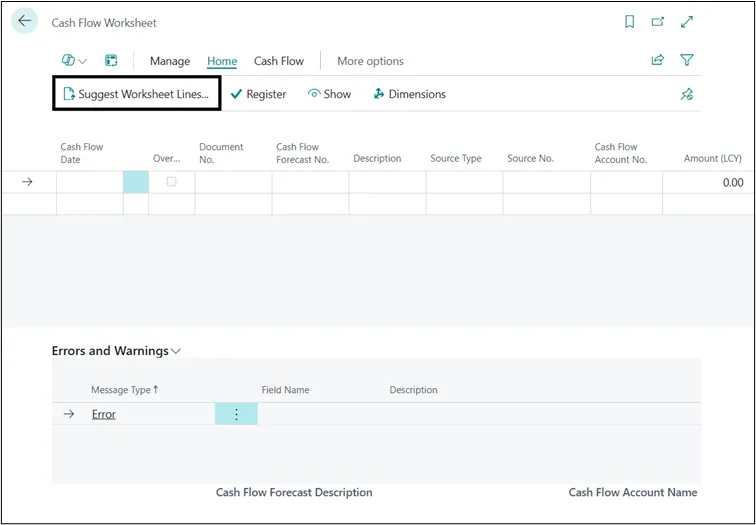
This page will open. You can enter the date manually in field or can click on the suggest worksheet lines…
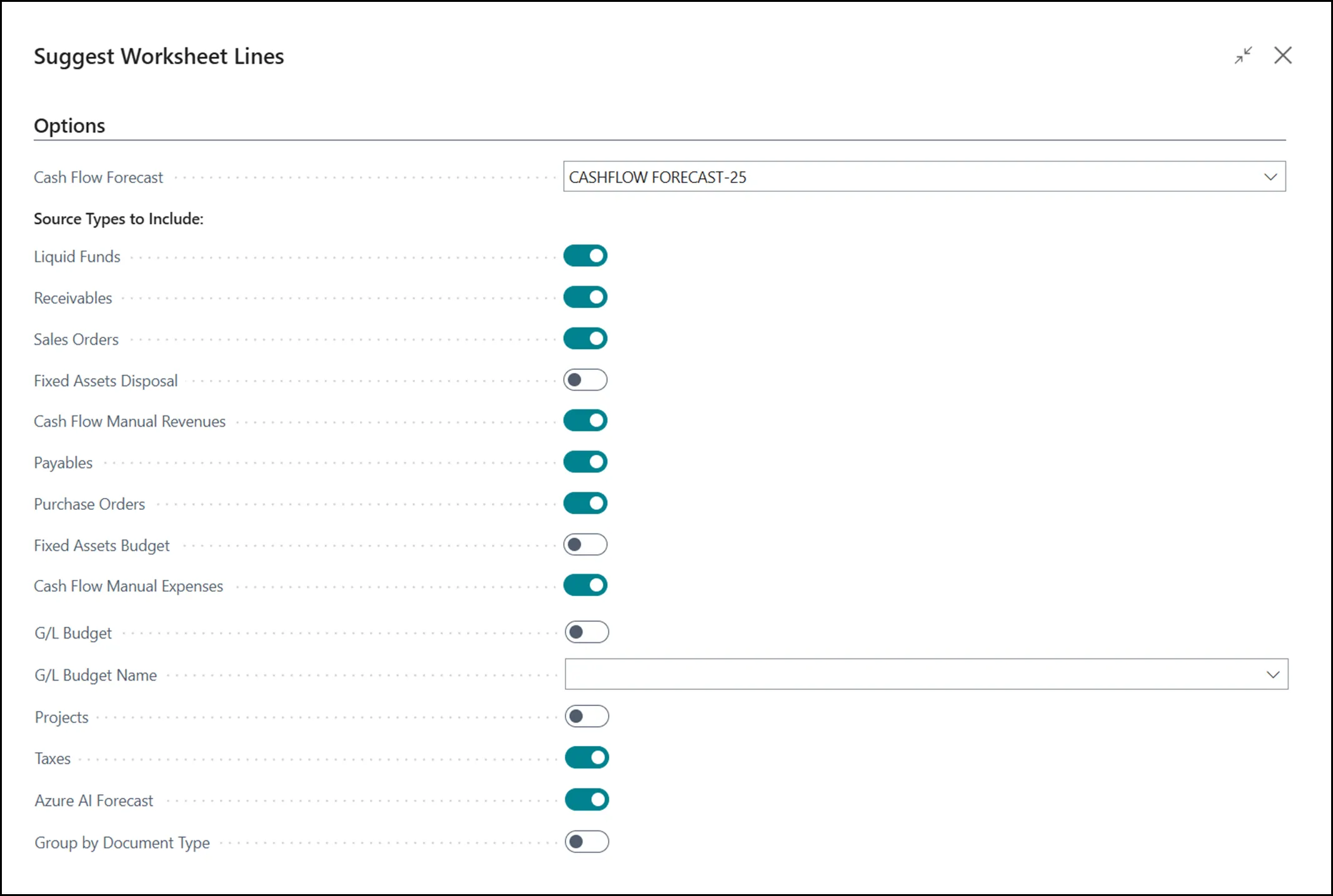
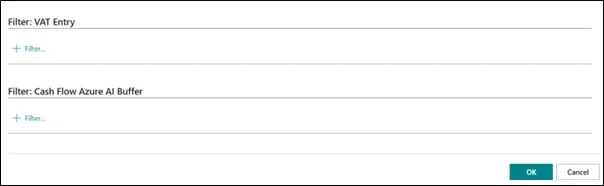
Above page will open.
Enable the option as per which data you want in your Cash Flow Forecasting. Then click on Okay.
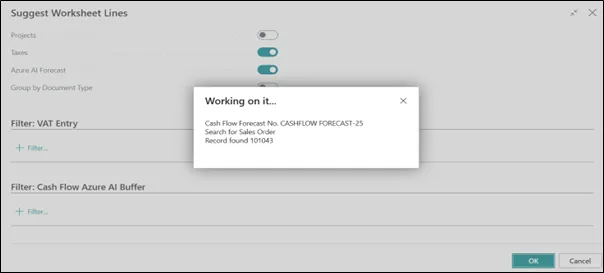
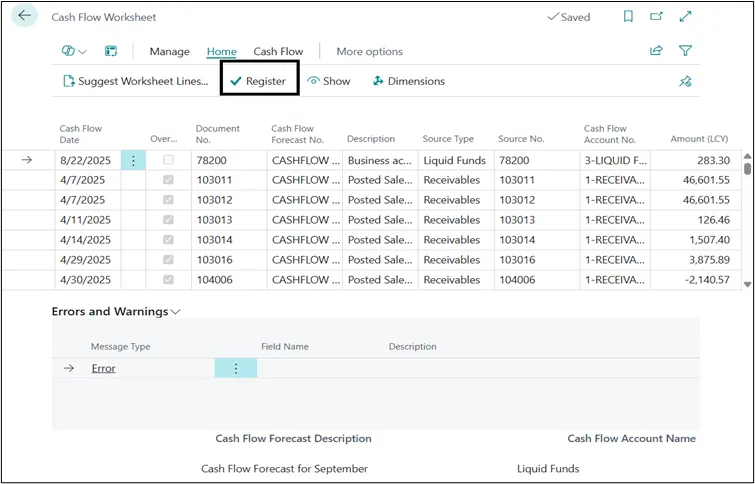
You can see that system has bring the data, as per the data store in various module like – sales, purchases, receivables, payables, and even manual entries.
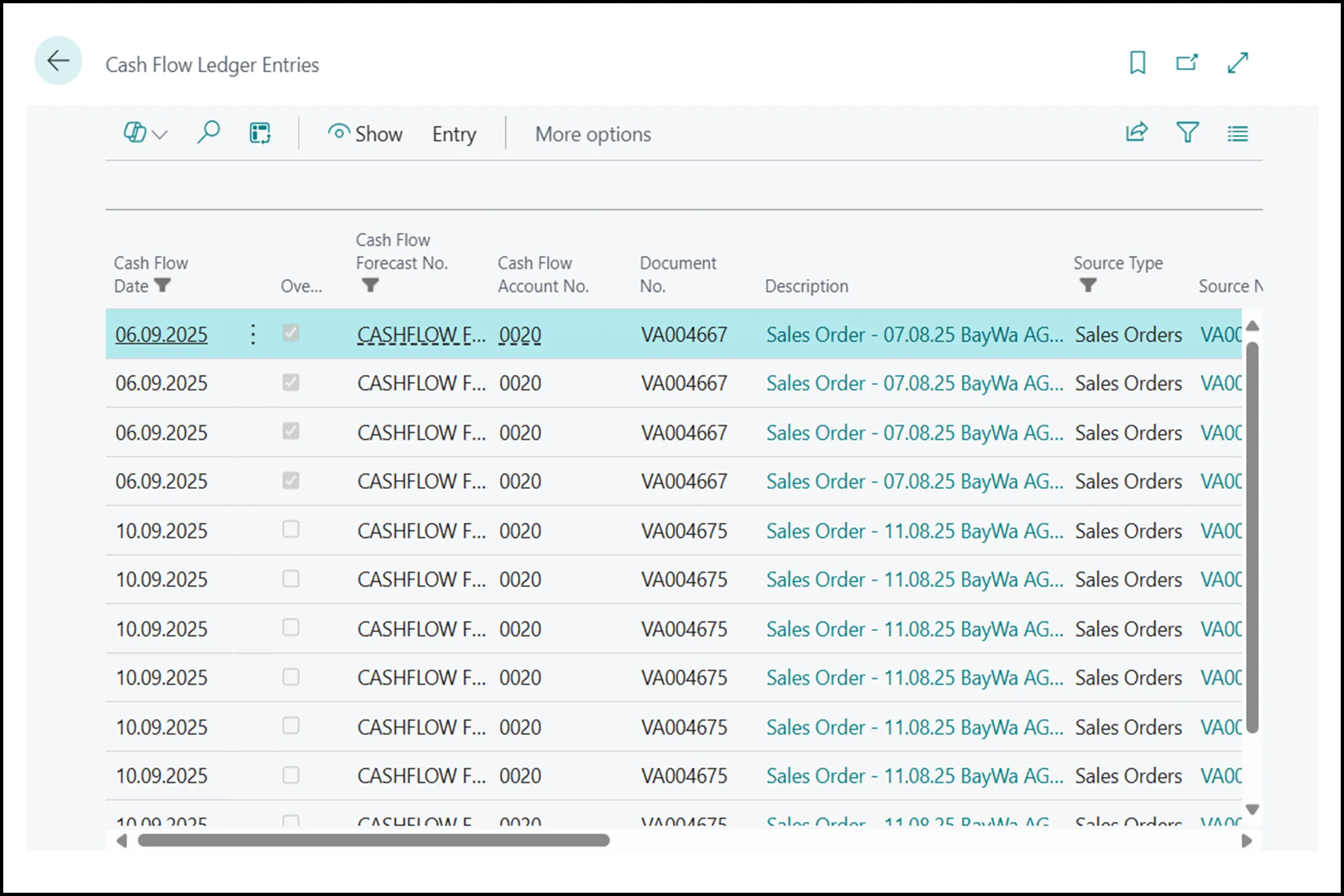
You can check the date by selecting the line and clicking on Show option on tool bar.
Once you confirm the data, click on Register to register the data for Cash Flow Forecast.
Once the data is successfully register, go back to Cash Flow Forecast Card.
Go to Report option on tool bar.

Click on the Cash Flow Date List…
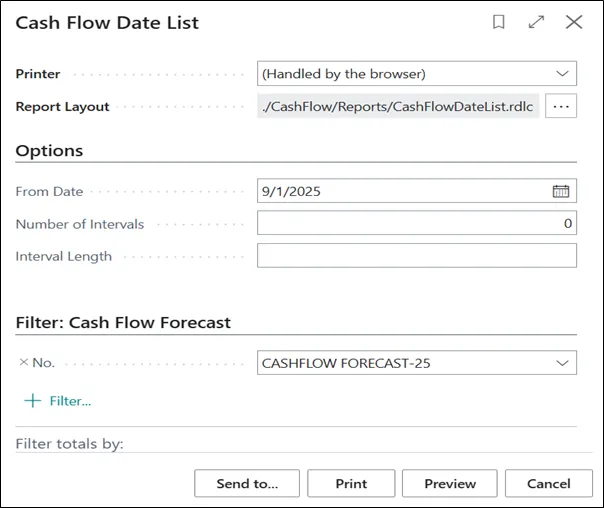
Select the From Date and then Print or Preview option to view the report.
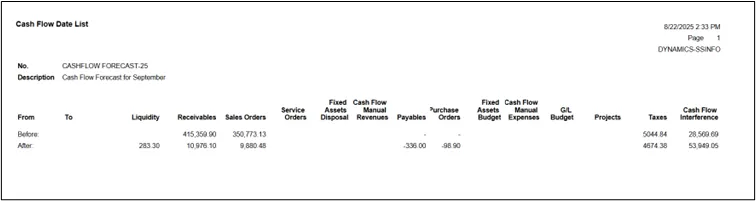
Here in the Report, you can see the total of each heading. With this you can forecast how much cash inflow you will receive in the month of September by looking at Sale Order and Cash Flow Manual Revenue, and how much cash outflow will be by looking at Purchase Order and Cash Flow Manual Expanses.
If you want to see details under the heading,
Go to Cash Flow Forecast > Statistic.

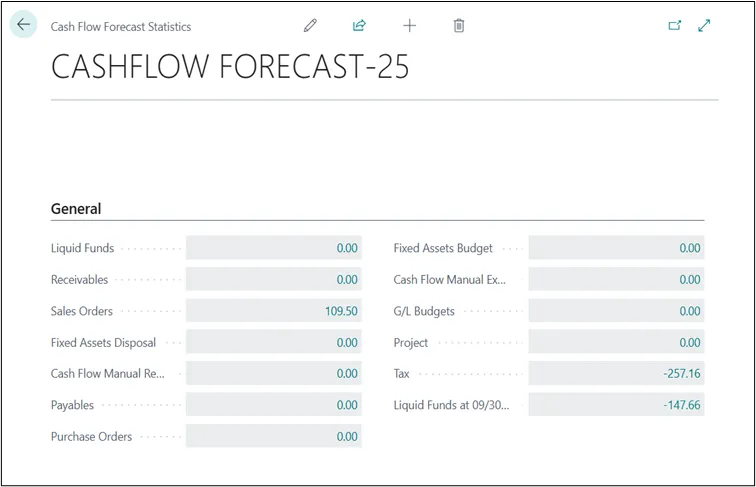
Click on the amount to see the details of that particular head.
Thus, Cash flow forecasting in Microsoft Dynamics 365 Business Central is a powerful tool that enables organizations to proactively manage their liquidity, make informed financial decisions, and plan for future growth. By leveraging real-time data from across the system—such as receivables, payables, bank accounts, and manual entries—Business Central provides a dynamic and accurate view of expected cash movements.